810:47
Mark ZuckerbergFrom “The Future Mark Zuckerberg Is Trying To Build”Questions about AutoClipMaker
Short answers about what AutoClipMaker does, what it costs and where it can post.
Now in beta. Plans from $25 for 30 days, no auto-renewal. Updated 2026-11-03.
Can I Survive Alaskan Winter with No Sleeping Bag, No Tent & No Tarp?Outdoor Boys · 21 minutes · 7 clips found
Hey Jacob, you wanna go camping with me?Curiosity gap · starts at 12:54 · 0:52
98Made with AutoClipMaker
Podcasts, interviews and challenge videos, cut into vertical clips with hooks, captions and face tracking.
890:48
GrandGeckoFrom “GTA 6 in 3 Weeks - Everything You Need To Know”950:47
Alex HormoziFrom “The 4 Steps To Your First Dollars Tomorrow”960:48
Outdoor BoysFrom “Can I Survive Alaskan Winter with No Sleeping Bag?”980:56
MrBeastFrom “Survive 30 Days Trapped In The Sky, Win $250,000”980:47
Chris WilliamFrom “I Went To The Biggest KFC In Pakistan”980:47
Robert GreeneFrom “Three Essential Skills For Today’s World”880:47
GrandGeckoFrom “GTA 6 in 3 Weeks - Everything You Need To Know”770:47
Mark ZuckerbergFrom “The Future Mark Zuckerberg Is Trying To Build”950:48
Outdoor BoysFrom “Can I Survive Alaskan Winter with No Sleeping Bag?”740:46
Alex HormoziFrom “The 4 Steps To Your First Dollars Tomorrow”How it works
Paste a link or upload
A YouTube, Twitch, Kick, Google Drive or Zoom link, or a video or audio file from your computer.
AI finds the best moments
It transcribes every word, scores each part for hook, emotion and payoff, and picks the moments worth posting.
Edit, download or schedule
Clips come out vertical with captions. Tweak them in the editor, download them, or schedule them to YouTube Shorts.
New video
Find my clipsOr upload a file: MP4, MOV, MKV, WebM, MP3, WAV or M4A.
Working on it
- Fetched the video, 21 minutes
- Transcribed every word
- Scoring moments for hook, emotion and payoff
- Cutting vertical clips with captions
7 clips ready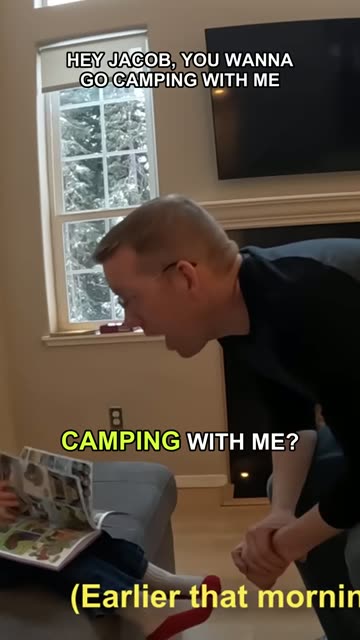
Hey Jacob, you wanna go camping with me?0:52 · score 98
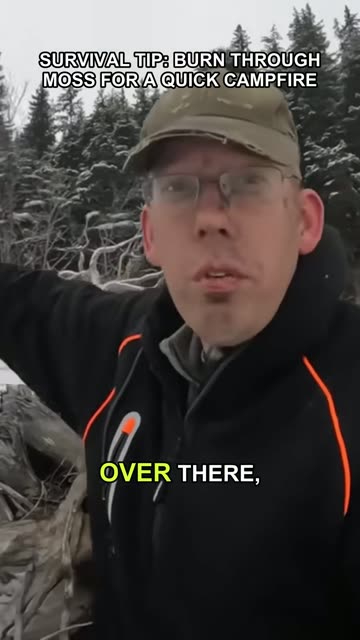
EditDownloadScheduleSurvival tip: burn through moss for a quick fire0:48 · score 96
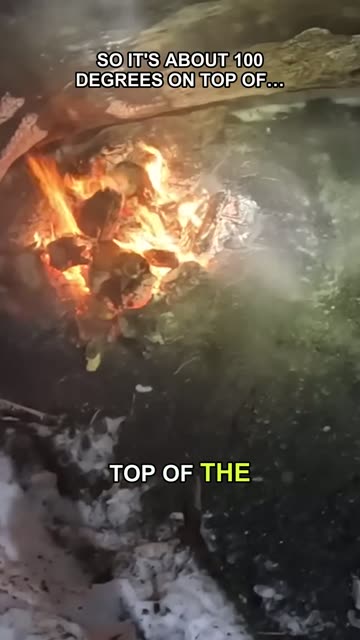
EditDownloadScheduleAbout 100 degrees on top of the fire0:48 · score 95
EditDownloadScheduleWhat you get
Long video in
Links from YouTube, Twitch, Kick, Google Drive and Zoom, or your own files.
Clips out
Vertical 1080p MP4 clips with captions, ready to edit, download or schedule.
Your choice of plan
$25, $50 or $75 for 30 days, with no auto-renewal.
Pricing
Every plan lasts 30 days and never renews by itself. Paid clips carry no AutoClipMaker logo.
| Starter$25 / 30 days | Creator$50 / 30 days | Pro$75 / 30 days | |
|---|---|---|---|
| Video minutes | 300 | 900 | 2,500 |
| Longest video | 60 minutes | 120 minutes | 180 minutes |
| AI captions and titles a day | 15 | 40 | 100 |
| Channels | 2 | 10 | 30 |
| Projects | 2 | 10 | Unlimited |
| Brand kits | 1 | 10 | Unlimited |
| Bulk scheduling and AI moment search | Not included | Included | Included |
| Campaign briefs | Not included | Included | Included |
| Priority processing | Not included | Not included | Included |
| Start Starter | Start Creator | Start Pro |
Starter
$25 / 30 days- Video minutes
- 300
- Longest video
- 60 minutes
- AI captions and titles a day
- 15
- Channels
- 2
- Projects
- 2
- Brand kits
- 1
- Bulk scheduling and AI moment search
- Not included
- Campaign briefs
- Not included
- Priority processing
- Not included
Creator
$50 / 30 days- Video minutes
- 900
- Longest video
- 120 minutes
- AI captions and titles a day
- 40
- Channels
- 10
- Projects
- 10
- Brand kits
- 10
- Bulk scheduling and AI moment search
- Included
- Campaign briefs
- Included
- Priority processing
- Not included
Pro
$75 / 30 days- Video minutes
- 2,500
- Longest video
- 180 minutes
- AI captions and titles a day
- 100
- Channels
- 30
- Projects
- Unlimited
- Brand kits
- Unlimited
- Bulk scheduling and AI moment search
- Included
- Campaign briefs
- Included
- Priority processing
- Included
Questions
A web-based AI tool that turns long videos and podcasts into vertical short clips with captions, and posts them to YouTube Shorts.
You must own the content or have permission, for example an active clipping campaign on Whop or Vyro.
About 15 minutes for a 45-minute video. You see live progress, and each clip as soon as it is ready.
Up to 60 minutes on Starter, 120 on Creator and 180 on Pro.
Transcription in 30+ languages with word-level timing, including Urdu, Hindi, Arabic, Bahasa, Turkish, Portuguese and Spanish, with right-to-left captions.
Yes, on YouTube Shorts. For TikTok and Instagram Reels, download your clips and post them yourself; direct posting to those is coming soon.
Yes. Change captions and their style, fix any word, add text, trim, reframe, pick music and rewrite the hook, then render again.
Yes. Make a project for each channel with its own brand kit, and videos in that project come out in that channel's style.
Yes, on Creator and Pro. Upload the PDF, Word or Notion brief, and it reads the rules and follows them.
$25, $50 or $75 for 30 days, and plans never renew by themselves. When a free first video is on offer, the sign-up page says so.
Message the team from the chat in the app, and they set up your plan.
Only you, and the support team when you ask for help. You can delete a video and all its clips at any time.
AutoClipMaker tries again automatically. If it still fails, the post shows as Needs attention in the Scheduler with the reason.
Your video, clipped.
Paste a link and AutoClipMaker shows you the moments worth posting. You create your account on the next step.