810:47
Mark ZuckerbergFrom “The Future Mark Zuckerberg Is Trying To Build”Turn any YouTube video into Shorts
Paste a YouTube link. AutoClipMaker picks the best moments, reframes them to 9:16 with captions, writes a title and hashtags, and posts them to your channel on the schedule you choose.
Now in beta. Plans from $25 for 30 days, no auto-renewal. Updated 2026-11-03.
Lose 150 Lbs Together, Win $250,000MrBeast · 43 minutes · 15 clips found
Climb to the top, win a honeymoonStrong hook · starts at 12:06 · 0:47
98Made with AutoClipMaker
Podcasts, interviews and challenge videos, cut into vertical clips with hooks, captions and face tracking.
890:48
GrandGeckoFrom “GTA 6 in 3 Weeks - Everything You Need To Know”950:47
Alex HormoziFrom “The 4 Steps To Your First Dollars Tomorrow”960:48
Outdoor BoysFrom “Can I Survive Alaskan Winter with No Sleeping Bag?”980:56
MrBeastFrom “Survive 30 Days Trapped In The Sky, Win $250,000”980:47
Chris WilliamFrom “I Went To The Biggest KFC In Pakistan”980:47
Robert GreeneFrom “Three Essential Skills For Today’s World”880:47
GrandGeckoFrom “GTA 6 in 3 Weeks - Everything You Need To Know”770:47
Mark ZuckerbergFrom “The Future Mark Zuckerberg Is Trying To Build”950:48
Outdoor BoysFrom “Can I Survive Alaskan Winter with No Sleeping Bag?”740:46
Alex HormoziFrom “The 4 Steps To Your First Dollars Tomorrow”How it works
Paste a link or upload
A YouTube, Twitch, Kick, Google Drive or Zoom link, or a video or audio file from your computer.
AI finds the best moments
It transcribes every word, scores each part for hook, emotion and payoff, and picks the moments worth posting.
Edit, download or schedule
Clips come out vertical with captions. Tweak them in the editor, download them, or schedule them to YouTube Shorts.
New video
Find my clipsOr upload a file: MP4, MOV, MKV, WebM, MP3, WAV or M4A.
Working on it
- Fetched the video, 43 minutes
- Transcribed every word
- Scoring moments for hook, emotion and payoff
- Cutting vertical clips with captions
15 clips ready
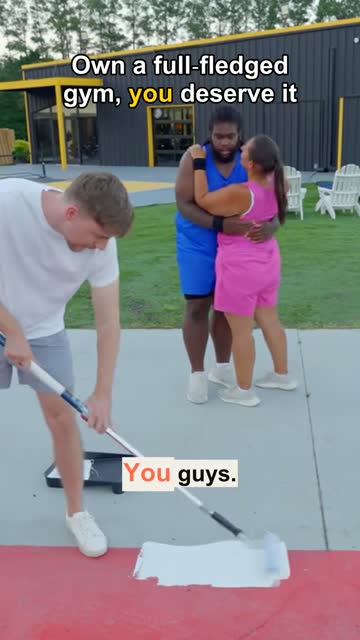
Climb to the top, win a honeymoon0:47 · score 98
EditDownloadScheduleOwn a full gym, you deserve it0:52 · score 92
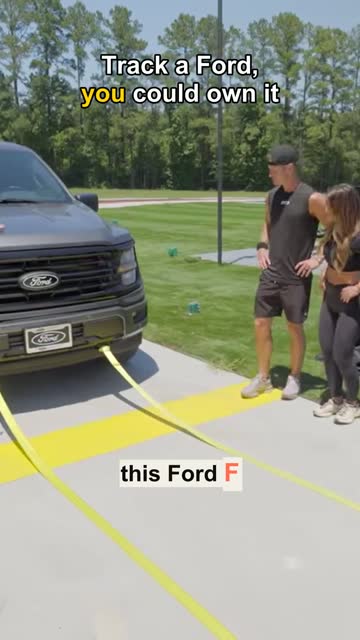
EditDownloadScheduleTrack a Ford, you could own it0:44 · score 89
EditDownloadScheduleLong videos in, Shorts out
Shorts are the fastest way to bring new viewers to a channel, but cutting them by hand takes hours. With AutoClipMaker you paste the link of your long video and get a batch of Shorts back: vertical, captioned and ranked by how likely they are to hold attention.
980:56
Straight to your channel
Connect your YouTube channel once. Then schedule one Short or a whole batch, spaced hours apart, with an AI-written title, description and hashtags you can edit. Views and likes come back to your dashboard, so you can see which clips work.
Running several channels? Give each its own project and brand kit, and clips come out in that channel's style and post to that channel.
980:47
What you get
Paste a link
YouTube, Twitch, Kick, Google Drive or Zoom links, or upload a file.
Vertical by default
Face tracking reframes 16:9 to 9:16 so the speaker stays in shot.
Captions and hooks
Word-by-word captions and an AI hook line on screen.
Titles and hashtags
Written by AI for each Short, and fully editable.
Bulk scheduling
Schedule every clip of a video at once, spaced out over days.
Results in one place
Views and likes of your posted Shorts on your dashboard.
Pricing
Every plan lasts 30 days and never renews by itself. Paid clips carry no AutoClipMaker logo.
| Starter$25 / 30 days | Creator$50 / 30 days | Pro$75 / 30 days | |
|---|---|---|---|
| Video minutes | 300 | 900 | 2,500 |
| Longest video | 60 minutes | 120 minutes | 180 minutes |
| AI captions and titles a day | 15 | 40 | 100 |
| Channels | 2 | 10 | 30 |
| Projects | 2 | 10 | Unlimited |
| Brand kits | 1 | 10 | Unlimited |
| Bulk scheduling and AI moment search | Not included | Included | Included |
| Campaign briefs | Not included | Included | Included |
| Priority processing | Not included | Not included | Included |
| Start Starter | Start Creator | Start Pro |
Starter
$25 / 30 days- Video minutes
- 300
- Longest video
- 60 minutes
- AI captions and titles a day
- 15
- Channels
- 2
- Projects
- 2
- Brand kits
- 1
- Bulk scheduling and AI moment search
- Not included
- Campaign briefs
- Not included
- Priority processing
- Not included
Creator
$50 / 30 days- Video minutes
- 900
- Longest video
- 120 minutes
- AI captions and titles a day
- 40
- Channels
- 10
- Projects
- 10
- Brand kits
- 10
- Bulk scheduling and AI moment search
- Included
- Campaign briefs
- Included
- Priority processing
- Not included
Pro
$75 / 30 days- Video minutes
- 2,500
- Longest video
- 180 minutes
- AI captions and titles a day
- 100
- Channels
- 30
- Projects
- Unlimited
- Brand kits
- Unlimited
- Bulk scheduling and AI moment search
- Included
- Campaign briefs
- Included
- Priority processing
- Included
Questions
Yes. You connect your own channel with Google's sign-in, and AutoClipMaker uploads only the clips you schedule. You can disconnect at any time.
Only with permission, for example as part of a clipping campaign. Always follow the creator's terms.
No. Paste the link and AutoClipMaker fetches it. You can also upload a file.
Plans are $25, $50 or $75 for 30 days, with no automatic renewal.
Your video, clipped.
Paste a link and AutoClipMaker shows you the moments worth posting. You create your account on the next step.